
Modify a remediation
Step-by-step instructions on how to edit a user-created remediation.
To modify a remediation:
- On the left-hand side navigation pane, click
 Remediations.
 - Select the remediation that you want to modify.
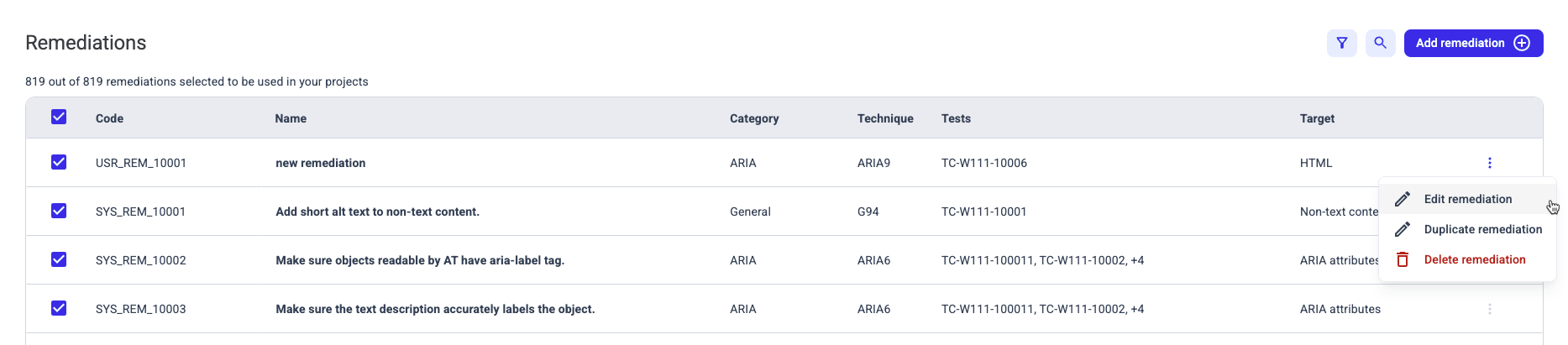
- Click the
 Settings button on the right-hand side of the table.
 - On the shortcut menu, click Edit remediation.
- In the Edit remediation screen, modify the details of the remediation, as needed. For more information about the fields in this wizard, see Create a remediation.
Only user created remediations can be modified. If you haven't created a custom remediation, you will not be able to find the Edit remediation button.